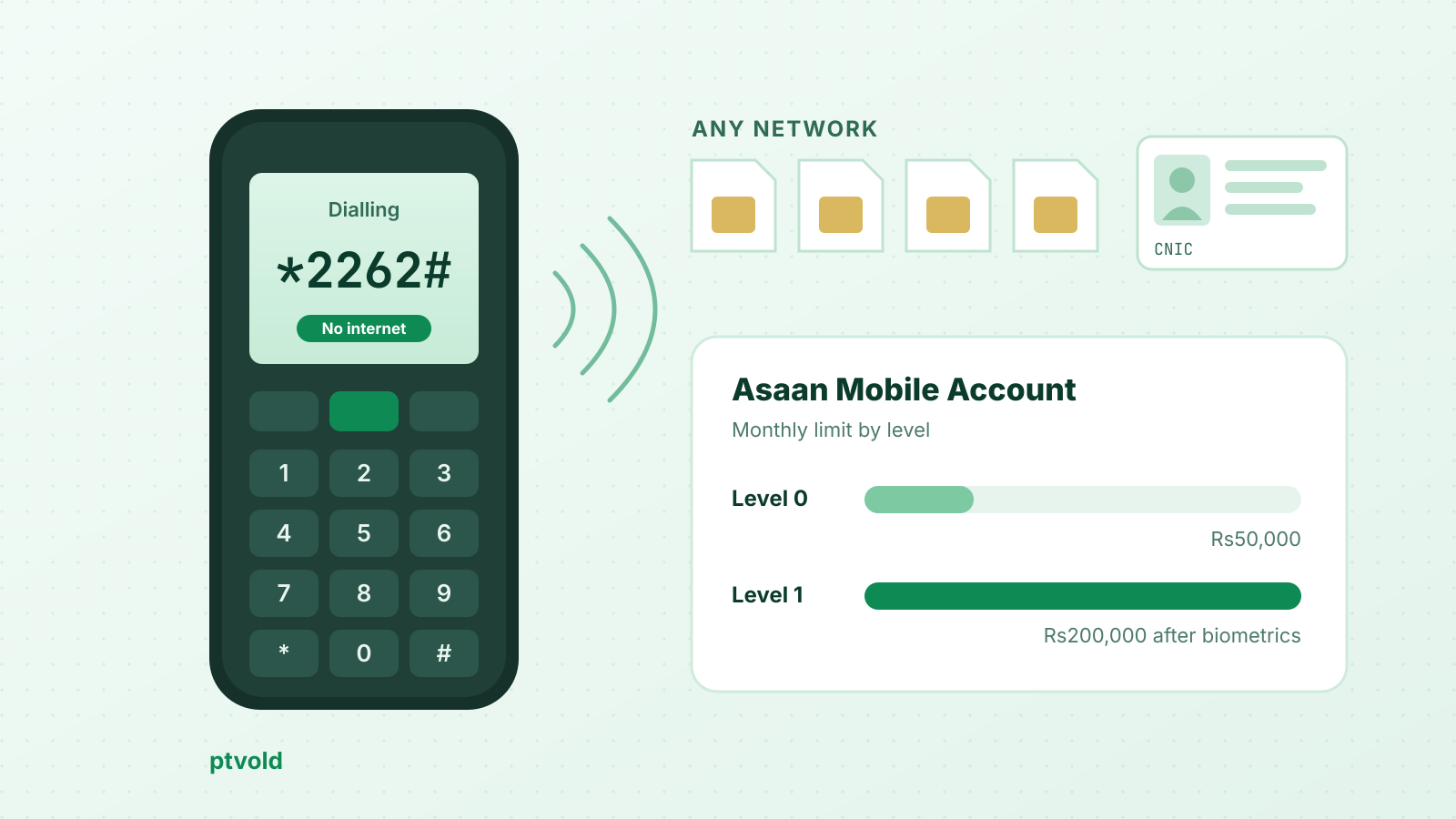
Asaan Mobile Account, or AMA, is a basic branchless banking account you open by dialling *2262# from any phone, on any mobile network, without internet. You need a valid CNIC and an active SIM. The account opens at Level 0 straight away, with a Rs25,000 daily and Rs50,000 monthly limit, and you must complete biometric verification within 60 days or debits are blocked.
Short answer Dial
*2262#and follow the menu to open an account with one of the participating banks. The State Bank of Pakistan (SBP) and the Pakistan Telecommunication Authority (PTA) run the platform; the account itself is held by the branchless banking bank you pick. Level 0 allows Rs25,000 a day, Rs50,000 a month, Rs200,000 a year and a maximum balance of Rs200,000. After biometric verification at your bank’s agent, you can ask for Level 1: Rs50,000 a day, Rs200,000 a month and Rs2.4 million a year. Only one AMA can be opened per SIM.
By ptvold Desk. SBP’s AMA page and AMA FAQs, SBP’s launch press releases and PTA’s launch notice were read on November 18, 2026.
What the Asaan Mobile Account is
SBP launched AMA on December 13, 2021 under the National Financial Inclusion Strategy, so that people could open a branchless banking account remotely, from home, without visiting a branch (SBP press release, December 12, 2021 ↗). The launch brought together SBP, PTA, NADRA, 13 branchless banking providers, all cellular mobile operators and the Virtual Remittance Gateway.
The point of the scheme is interoperability: PTA describes “complete interoperability among operators and financial institutions” on a unified USSD platform, so one short code works on every network and the menu lets you pick which bank opens your account (PTA ↗).
At a glance
- Code:
*2262#(SBP ↗ · checked 2026-11-18)- Networks: any mobile operator’s SIM (SBP ↗ · checked 2026-11-18)
- Phone: basic or smartphone, no internet needed (SBP FAQs ↗ · checked 2026-11-18)
- Who can open: any Pakistani with a valid CNIC (SBP FAQs ↗ · checked 2026-11-18)
- Accounts per SIM: one (SBP FAQs ↗ · checked 2026-11-18)
- Biometric verification: within 60 days at your bank’s branchless banking agent (SBP FAQs ↗ · checked 2026-11-18)
Steps
- Have your valid CNIC and an active SIM ready. Only one AMA can be opened per SIM, so use the SIM you will keep.
- Dial
*2262#from that SIM and follow the steps on the menu to open an account with one of the participating banks. - Keep your account PIN private. You can change it later from the same menu.
- The account opens at Level 0.
- Within 60 days, visit a branchless banking agent or branch of the bank you chose and complete biometric verification.
- If you need higher limits, ask the bank to upgrade you to Level 1 after verification.
SBP does not publish the exact screens of the menu, and they can differ by bank. Follow the prompts on your phone rather than a list from a video or blog.
Limits by level
| Level | How you get it | Daily | Monthly | Yearly | Maximum balance |
|---|---|---|---|---|---|
| Level 0 | Opened instantly through *2262# | Rs25,000 | Rs50,000 | Rs200,000 | Rs200,000 |
| Level 1 | After biometric verification and your request to upgrade | Rs50,000 | Rs200,000 | Rs2,400,000 | Not stated by SBP |
Source: SBP, Asaan Mobile Account FAQs ↗ · checked 2026-11-18
These are the scheme’s limits. A bank may apply its own operational controls on top of them, so check the bank’s key fact statement once your account is open. If your income or remittances will regularly go above Level 1, a full bank account or an Asaan Account with a bank may fit better.
What you can do from *2262#
SBP’s AMA page lists these services on the menu (SBP ↗, checked November 18, 2026):
- balance inquiry and mini statement;
- sending money to other bank accounts;
- bill payments, including mobile top-ups and utility bills;
- changing your account PIN;
- account closure information and your bank’s helpline;
- linking an existing branchless banking account to AMA.
According to SBP’s FAQs, an IBFT payment from AMA goes to the bank and account you select, and a Raast payment goes to the account linked to the recipient’s Raast ID. If you are not sure which to use, see IBFT vs Raast. Cash deposits and withdrawals happen at your bank’s branchless banking agents; SBP says agents of any brand are planned “going forward”.
Charges
SBP’s FAQs say “nominal per-session charges” apply, set by the mobile operator’s schedule of charges. SBP does not publish one figure for all networks, and we found no current per-session amount on an official page, so we do not state one. Transaction fees, if any, are set by the bank that holds your account: read its schedule of charges.
Warning AMA works on your SIM and your PIN. Never give your PIN or a code from an SMS to a caller, even one who says they are from a bank, PTA or SBP. Do not open an account for someone else on your CNIC or SIM: the account is opened against your CNIC.
AMA and your existing wallet
If you already have a branchless banking wallet, the menu lets you link it instead of opening a new one (SBP FAQs ↗). Easypaisa’s own FAQ gives *2262# as its code on Jazz, Zong and Ufone; the network-by-network list is on our Easypaisa codes page. JazzCash publishes *786# as its own code, and *2262# is not listed by JazzCash; see JazzCash codes.
Because only one AMA is allowed per SIM, a user who wants an AMA with a different bank must close the first one. The SBP FAQs do not describe the closure steps; the AMA menu gives closure information and your bank’s helpline.